Gmail Attachment Limit in 2026: What Changed and the Fastest Way to Send Video Anyway
Google finally moved part of Gmail beyond the old limit, but most people still hit attachment walls. This guide explains the practical fix.
3 SEO title ideas
- 3 Gmail Attachment Facts in 2026 Most People Still Miss
- 5 Ways to Send Video Through Gmail When the File Is Too Large
- 7-Minute Gmail Fix: Compress a Video Before the 25 MB or 50 MB Limit Hits
Why this guide converts
Every post on Media Hub is built around one job: helping people fix a file problem fast, without handing private files to a random upload service.
You will see practical limits, real mistakes, and the exact local workflow that fits the tool.
Gmail still says no at the worst time. You attach a short clip, wait a beat, and watch the draft fail. The practical fix in 2026 is not guessing. It is knowing which Gmail limit applies to you, then making one smaller MP4 locally before you hit send.
What actually changed in 2026
As of March 15, 2026, the latest official shift is real but narrow.
Google's Workspace Updates post from February 24, 2026 says Gmail direct attachments can reach 50 MB for Google Workspace Enterprise Plus users.
At the same time, Google's Gmail limits help page still keeps 25 MB as the baseline number most people run into first.
That split is why so many senders stay confused.
| Gmail workflow | What the official docs say now | Safe target I use | Why I stay under it | | --- | --- | --- | --- | | Standard Gmail or mixed recipients | 25 MB is still the practical ceiling | 20 to 23 MB | Encoding overhead and forwarding can still make a file fail | | Workspace Enterprise Plus | Up to 50 MB direct attachment | 45 to 48 MB | A little margin avoids last-minute surprises | | Anything bigger than that | Use Drive or a shared link | N/A | Email is no longer the clean transport layer |
Three times email limits wasted my time
The first was a 29-second product demo I tried to send from an airport lounge. The clip looked short, so I assumed it would pass. It did not. The fix was one local 720p MP4 export, not three upload retries.
The second was an internal review where my account could send a larger file, but the recipient was checking mail on a phone with weak signal. A cleaner, smaller MP4 was still the file that actually got watched.
The third was a founder update I mailed from a hotel network. An upload-first service stalled before the attachment was ready. Local conversion finished before the hotel Wi-Fi finished pretending to help.
Pro Tip: If the video is close to the limit, trim dead air before touching quality. Five boring seconds at the front and back can save more space than people expect.
The workflow I use before I even open Gmail
If the source is a camera file, I normalize it to MP4 first.
If the file is already MP4 but still too large, I follow the same local steps from our compression guide: shorten the clip, lower the resolution one step, then export once.
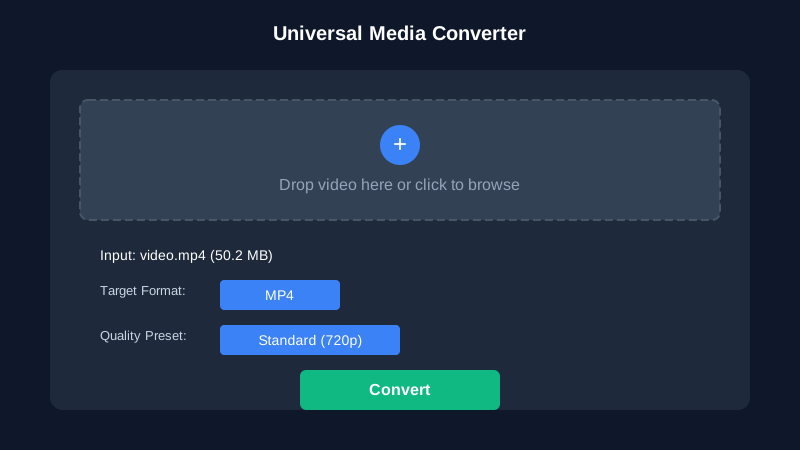
For most email clips, 720p is the sweet spot.
It stays clear on phones and laptops, and it usually cuts file size fast enough to matter.
If the clip is headed to a client who only needs approval, not pixel-perfect finishing, the smaller preset is usually the right answer.
Mistakes that make Gmail feel stricter than it is
People assume the container is the problem when the real issue is bitrate.
They also recompress the same file multiple times, which wastes quality and still misses the target.
Another common miss is forgetting the destination. A file that is barely acceptable on desktop can still be miserable to download on mobile mail.
If you need more fallback routes after email fails, the format explorer is the quickest way to find a cleaner conversion path.
Pro Tip: Keep one high-quality master and one delivery copy. That split ends the panic cycle where every resend starts from an already damaged file.
When I stop fighting attachments
Once the file pushes beyond the realistic Gmail ceiling, I stop negotiating with email.
I either send a smaller MP4 summary or switch to a shared link.
That decision saves more time than obsessing over the last few megabytes.
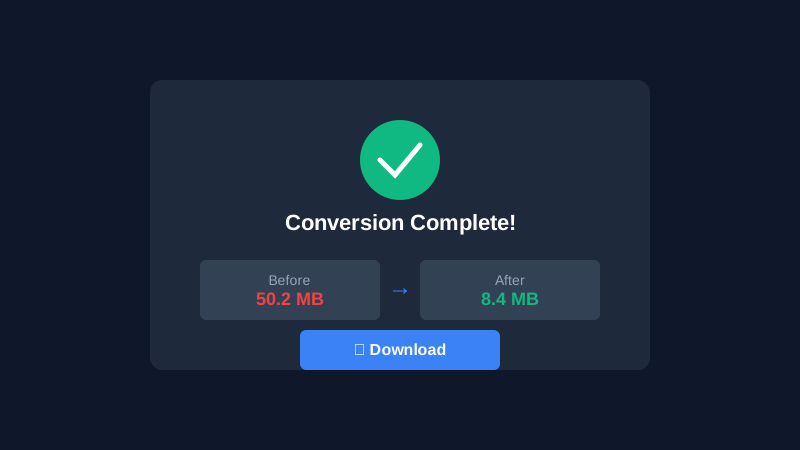
The goal is not to win an argument with Gmail.
The goal is to get the video opened on the first try.
Meta Description
Gmail still rejects big videos fast. Learn what changed in 2026 and how to compress clips locally before the 25 MB or 50 MB limit hits hard.